


Line Drawing: No Lift Puzzle
4.8720.00 Reviews
App Specs
- Version
- 0.4.9
- Updated On
- License
- Free
- Downloads
- 10,000,000+
- Developer
- The Fashion Valley
- Categories
- Puzzle
- Platform
- Android, iOS
Screenshots
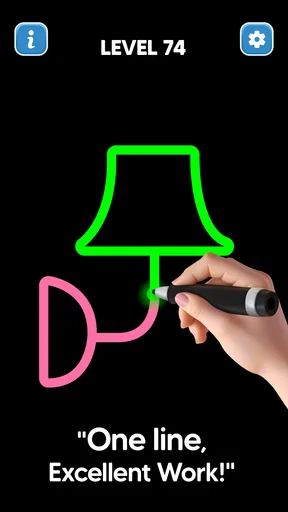
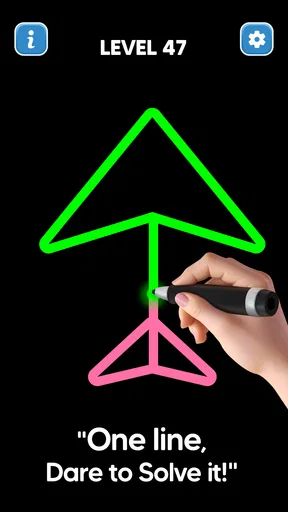
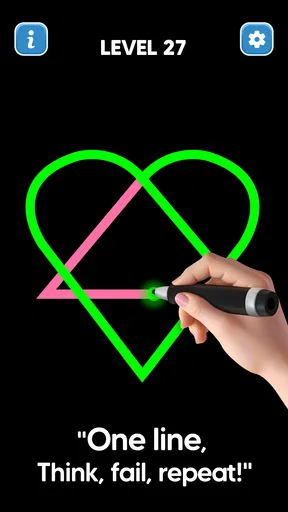
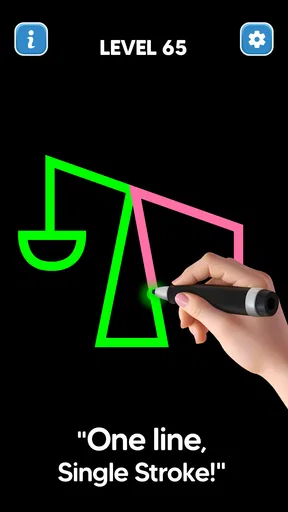
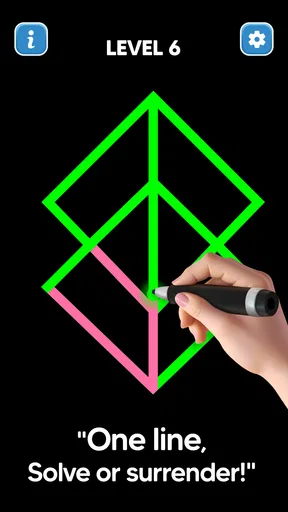
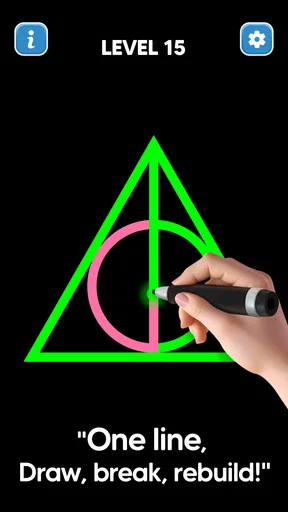
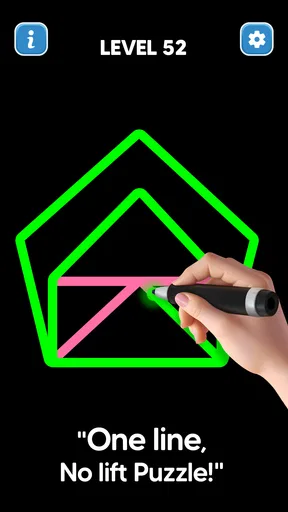
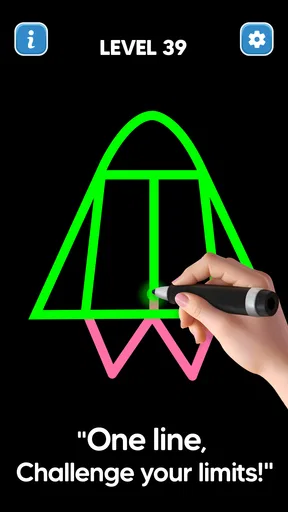
 Analysis by AppCompare
I tend to reach for a compact puzzle when I have a few spare minutes but don’t want to start a game that demands a long session. Line Drawing: No Lift Puzzle fits that mood: its central challenge is to trace a connected route through a pattern of dots without lifting your finger. The idea is easy to grasp, but a crowded arrangement can make the next move less obvious than it first appears. I like that the pleasure comes from working out the route rather than learning a stack of rules.
Why a simple line can become a sticking point
The first hesitation is usually not about the controls; it is about choosing where to begin. A line that looks promising may leave an awkward part of the pattern stranded, so I find it useful to pause before drawing and look for endpoints, branches, and sections that seem to have only one sensible way through. That small planning step makes the puzzle feel more deliberate and can save a string of trial-and-error attempts.
When I do get stuck, I try tracing a possible route mentally before touching the screen. If the line would need to pass through a point twice, or if one branch would be cut off by the route I have chosen, I rethink the starting point. This is a practical habit for this kind of one-stroke puzzle: consider the whole shape rather than focusing only on the nearest dot. It turns a frustrating guess into a small piece of logic.
The game is best suited to someone who enjoys that quiet process. It does not ask me to race against another player or manage a complicated set of systems. The appeal is the contrast between a clean-looking diagram and the careful route hidden inside it. If you prefer puzzles with word clues, elaborate stories, or a lot of changing action, this pared-back format may feel too narrow.
Getting comfortable before a longer session
At the start, I would treat the early puzzles as a chance to learn how the game responds to a continuous line, not as a test of speed. A steady finger movement is easier to follow than rushing from dot to dot, particularly on a small phone screen. If a route seems to go wrong, stopping to inspect the pattern is more helpful than immediately repeating the same path faster.
For a more comfortable session, I keep the screen clear of distractions and use a touch position that lets me see the next part of the route. This is especially useful when the drawn line passes close to several dots: a fingertip can hide the point I am trying to target. On a tablet, the larger drawing area may make that easier, while a phone is more convenient for a quick break. Neither changes the puzzle itself, but the device and how you hold it can affect how clearly you see your intended path.
If a touch does not seem to register, I first check whether my finger is landing on the intended dot and whether I am moving in a controlled way. I also make sure the screen is clean and that the game is responding normally before deciding that a particular puzzle is at fault. These are ordinary touch-screen checks, not special tricks, but they can distinguish a missed input from a route that simply needs reconsidering.
Worth Reading Before You Choose

EA SPORTS FC Mobile 26 Is a Bigger Football Game, but It Takes Time

Flipboard Shows What News Apps Must Do Beyond the Feed

Switching to Android Auto Means Rethinking Your Driving Routine

Google Calendar Makes a Crowded Week Easier to Manage

Ludo King Makes the Most of the Minutes Between Plans

Baby Panda World Brings Quick Play to Modern Phones, but Its Game Library Feels Busy
The Art of Line Drawing
The basic premise of Line Drawing: No Lift Puzzle is wonderfully simple yet brilliantly challenging. The goal is to connect dots without lifting your finger or retracing your line. Sounds easy, right? Well, that’s where the challenge kicks in. As you progress through levels, the puzzles become a delightful brain teaser that requires a mix of logic and creativity.
Getting Started
From the moment you download the app, you’re greeted with a clean and intuitive interface. The minimalist design makes it easy to jump right in without any complicated tutorials. Simply tap on the first level, and you’re off to the races. The first few puzzles ease you into the mechanics, allowing you to grasp the concept of drawing a continuous line without any interruptions.
One thing I absolutely love about this app is that it doesn’t bombard you with ads or unnecessary distractions. It’s just you, the dots, and your strategic mind. This makes it perfect for short breaks or longer sessions when you’re in the mood to engage those brain cells.
Levels and Challenges
The game offers a wide range of levels that increase in difficulty as you advance. Each new challenge is like a fresh canvas, and it’s up to you to figure out how to connect the dots in the most efficient way possible. The satisfaction of completing a particularly tricky puzzle is immensely rewarding.
As you progress, you’ll encounter various obstacles and new game mechanics. These elements keep the gameplay fresh and exciting. For example, some levels introduce moving dots or dynamic environments that require you to think on your feet. It’s this variety that keeps you coming back for more, eager to see what the next level has in store.
A Game for Everyone
One of the standout features of Line Drawing: No Lift Puzzle is its accessibility. Whether you’re a seasoned puzzle enthusiast or a casual gamer, this app offers something for everyone. The controls are intuitive, and the difficulty curve is just right, ensuring that players of all skill levels can enjoy the game.
Additionally, the app provides hints for when you’re stuck, which is a nice touch. It’s a gentle nudge in the right direction without giving away the solution entirely. This feature is especially helpful for younger players or those who might be new to puzzle games.
Visuals and Sound
The visuals are clean and minimalistic, which suits the game perfectly. There’s a certain elegance to the simplicity of the design. The color palette is easy on the eyes, and the animations are smooth, adding to the overall polished feel of the app.
As for the sound, it’s subtle and unobtrusive. The gentle background music complements the gameplay without being distracting, allowing you to focus on solving the puzzles. For those who prefer to play in silence, there’s an option to mute the sound altogether.
A practical fit for breaks, not every puzzle mood
In everyday use, I can see myself opening it while waiting for a drink, sitting through a short commute, or taking a screen break between tasks. A single puzzle gives that pause a clear beginning and end, while a trickier one can hold my attention for longer. It is a better fit for a few focused minutes than for playing while distracted; the route-planning is the point, and interruptions can make it easy to lose track of the path I had in mind.
Compared with a jigsaw or a match-style puzzle, this asks less of my memory and more of my ability to plan a continuous route. Compared with a free-drawing app, it gives that drawing a defined goal instead of an open canvas. That focus is a strength when I want a small, self-contained challenge, but a limitation if I want creative tools or lots of different puzzle formats. I would choose a broader puzzle collection for variety and this game when I specifically want a one-line logic problem.
One useful trade-off is how much help to use. A hint can get me moving again, but I prefer to spend a moment checking the branches first so the solution still feels earned. If I have already tried several routes and am repeating the same mistake, using a hint is a reasonable way to keep the session enjoyable rather than turning a short game into a stubborn test. I also find it useful to stop after a difficult puzzle and come back later; a fresh look can make a route easier to spot than another rushed attempt.
What to expect from the game and its costs
The game is free to play, and optional in-app purchases are listed from $1.99 to $5.99 per item. I would approach those purchases as optional rather than as a requirement for enjoying the central idea. If you are deciding whether to keep it, first try a few puzzles and see whether tracing routes is the kind of challenge you return to. The developer is The Fashion Valley, and the game is listed as a puzzle for everyone, which makes the basic premise approachable for a wide range of ages.
It has an average rating of 4.8 from around 66,000 ratings, with over 10 million installs. Those figures suggest that the compact format has found a broad audience, though they cannot tell you whether its particular style will suit you. The game was released on October 15, 2024, and version 0.4.5 is listed for devices running Android 7.0 or later. If you are checking an older device, the operating-system requirement is worth considering before you try to install it.
A likely question is whether this works as a casual game for a younger player. Its dot-and-line premise is easy to explain, and the everyone content rating makes it suitable for a general audience, but some routes still call for patience. I would be happy to hand it to a child who enjoys puzzles and is comfortable using a touch screen; I would not expect every level to be immediately obvious or entertaining to someone who dislikes careful trial and thought.
When a frustrating attempt may not be the puzzle
If a line seems to stop unexpectedly, I would separate a gameplay mistake from a device hiccup before restarting repeatedly. Check that the screen is responding where you touch, close and reopen the game if it appears unresponsive, and make sure the device has enough room to run normally. If the same route still fails while the controls are responding, inspect the pattern again: the issue may be that the chosen path cannot cover every required point in one continuous pass.
That distinction matters because the game’s constraint encourages experimentation, and a failed attempt is not automatically evidence that the level is broken. At the same time, I would not keep tapping harder or assume that every missed connection is a puzzle trick. A clean screen, a steady touch, and a brief pause to reconsider the route are sensible first steps. If the game continues to behave oddly beyond one puzzle, restarting the app is a more useful check than repeatedly drawing the same line.
For anyone who wants a game to play one-handed while doing something else, this may be a poor match: keeping the route visible and following it carefully takes attention. It is also not my pick when I want a strong sense of progression through story or a social challenge. Its value lies in the small mental reset of looking at a shape and solving how to pass through it without lifting my finger.
Final Thoughts
All in all, Line Drawing: No Lift Puzzle is a delightful game that offers a perfect blend of challenge and relaxation. It’s one of those apps that you’ll find yourself playing whenever you have a few minutes to spare, yet it’s engaging enough to keep you hooked for longer sessions.
If you’re looking for a puzzle game that’s easy to pick up but hard to put down, give Line Drawing: No Lift Puzzle a try. It’s a fantastic way to sharpen your mind while having a bit of fun. You can download it on both Android and iOS, and trust me, it’s worth every tap!
Pros
- Challenging levels enhance problem-solving skills.
- Simple yet addictive gameplay keeps you engaged.
- Minimalist design is easy on the eyes.
- No intrusive ads interrupting the experience.
- Smooth user interface with intuitive controls.
Cons
- Limited hints can frustrate new players.
- Repetitive patterns may reduce long-term appeal.
- Lacks multiplayer or social features.
- No reward system for completing levels quickly.
- Occasional performance lags on older devices.
FAQs for Line Drawing: No Lift Puzzle
What is the objective of Line Drawing: No Lift Puzzle?
The main objective of Line Drawing: No Lift Puzzle is to connect all the dots on the screen with a single, continuous line without lifting your finger. The challenge increases as you progress, with more complex patterns and obstacles. It's a game that tests both your strategic thinking and creativity.
Is Line Drawing: No Lift Puzzle available offline?
Yes, Line Drawing: No Lift Puzzle can be played offline, making it a perfect choice for users who want to enjoy the game without needing a constant internet connection. However, some features, like leaderboards or social sharing, may require internet access to function.
Are there any in-app purchases in Line Drawing: No Lift Puzzle?
Line Drawing: No Lift Puzzle offers in-app purchases that can enhance your gaming experience. These might include hints, additional levels, or ad removal options. While the game can be enjoyed fully for free, these purchases provide additional convenience and customization.
How does the difficulty progress in Line Drawing: No Lift Puzzle?
The difficulty in Line Drawing: No Lift Puzzle gradually increases as you advance through the levels. Early stages are designed to introduce the mechanics, while later levels present more intricate patterns and obstacles that require careful planning and problem-solving skills.
What are the system requirements for Line Drawing: No Lift Puzzle?
Line Drawing: No Lift Puzzle is optimized for both Android and iOS platforms. It requires Android version 4.1 or higher and iOS version 9.0 or later. The game is lightweight, so it doesn't consume much storage space or processing power, making it suitable for most devices.


